How Much Does Google Ads Cost?

If you want to be found quickly and effectively online, Google Ads is one of the fastest ways to start. Advertising with Google Ads (formerly Google AdWords) involves campaign costs. So how much does Google Ads cost? That depends on your goals, your industry, your competition and your strategy. Ultimately, it is entirely up to the advertiser to decide the budget. In this article, we explain how Google Ads pricing works, how to estimate a realistic budget and how to keep your costs under control.
Table of Content
How Google Ads pricing works
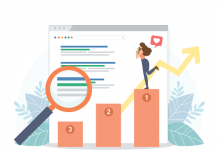
Google Ads works mainly as an auction. Every time someone searches on Google, an instant auction decides which ads are shown and in what order. You don’t pay a fixed price for an advertising spot. Instead, you set how much you are willing to pay, and Google combines your bid with the quality of your ad and other factors to calculate your position. This is called your Ad Rank.
For most search campaigns, you pay per click (pay-per-click, or PPC). You don’t pay when your ad is shown, only when someone clicks on it. Other campaign types, such as video or display campaigns, can also be charged per thousand impressions or per view, depending on your settings and bidding strategy.


Determine the costs for Google Ads
There is no minimum spend for Google Ads. In theory, you can start with a dollar or two a day. In practice, that is rarely realistic. With such a small budget, you get only a handful of clicks and too little data to learn what works. You’ll have to invest a reasonable amount to make sure it pays off.
What is realistic depends on your goals. Do you want to increase brand awareness? Generate purchases? Get quote requests or phone calls? The following methods give you an indication of your Google Ads costs:
- Cost per conversion
The cost per conversion, also called cost per acquisition (CPA), is what you pay on average for a specific action, such as a purchase or a quote request, taken online. Multiply your target CPA by the number of conversions you want, and you get a possible budget for Google Ads.
Google Ads cost = CPA x desired number of conversions
For example, if a new customer may cost you up to $40 and you want 25 new customers a month, your budget would be around $1,000 a month.
- Search volume and CPC
Google’s Keyword Planner, available free in your Google Ads account, shows estimated search volumes and cost per click for each keyword. It’s not exact data, but it gives a good idea of the potential Google Ads costs. Select the relevant keywords with their search volumes and estimated cost per click, and make the following calculation:
Google Ads cost = Total search volume x Expected click-through rate x Average cost per click
Keep in mind that not everyone who searches will see or click your ad. Multiplying by an expected click-through rate gives a more realistic estimate than using the full search volume.
Both methods give an estimate of the possible costs. It is also possible to start with your own fixed budget and work from there. Many businesses do this: they decide on a monthly budget and then aim to get as much revenue as possible from it.
Understanding the costs for Google Ads
To keep track of your Google Ads costs, you set an average daily budget for each campaign, or a shared budget across several campaigns. You can also set an account budget with a start and end date or a maximum total amount, so you won’t be faced with surprises afterwards.
Good to know: on busy days, Google may spend up to twice your average daily budget to take advantage of extra opportunities. Over a calendar month, however, you won’t be charged more than your average daily budget multiplied by about 30.4 (the average number of days in a month).
Actual costs
For search campaigns, the actual cost of Google Ads is determined by the number of clicks on your ads. So you pay for real website visitors, not for impressions of your ads.
The price per click, also called the CPC, varies and depends on factors such as competition, the quality of your ads and the location you are targeting. In some niches, clicks cost only a few cents. In highly competitive industries such as law, insurance and finance, a single click can cost tens of dollars. You also never pay more than your maximum bid, and often less, as Google charges only what is needed to beat the advertiser below you. With the right optimization and monitoring, you avoid spending money unnecessarily.
Google Ads cost = number of clicks x CPC
What affects your cost per click?
Several factors determine how much you pay per click:
- Competition: the more advertisers bid on the same keyword, the higher the price.
- Quality Score: Google rates your keywords on a scale of 1 to 10, based on expected click-through rate, ad relevance and landing page experience. A higher score can lower your costs and improve your position.
- Location and language: clicks in large cities or wealthy markets are often more expensive.
- Time and device: prices can vary by time of day, day of the week and device type.
- Season: demand peaks, such as holidays or sales events, increase competition.
- Bidding strategy: manual bidding and automated strategies lead to different cost patterns.
Budget and revenues coincide
Broadly speaking, there are two strategies for starting with Google Ads: start with a large budget to see results quickly, or start small and expand as you succeed.
With a large budget, a lot of data is collected quickly, showing which keywords and ads perform well. You then make adjustments step by step to reach the costs and revenues that meet your objectives.
The other approach is more suitable for small businesses that want to test carefully whether Google Ads is profitable for them. They often start with a smaller budget, advertising only part of their range or only in their own region. When campaign performance is positive, the budget is gradually increased and/or the campaigns are expanded.
Bidding strategies and their effect on costs
Google Ads offers several bidding strategies. The most common are:
- Manual CPC: you set the maximum price per click yourself. This gives you control, but requires more work.
- Maximize clicks: Google tries to get as many clicks as possible within your budget. Useful for generating traffic.
- Maximize conversions: Google uses machine learning to get as many conversions as possible within your budget.
- Target CPA: Google aims for an average cost per conversion that you specify.
- Target ROAS: Google aims for a target return on ad spend, ideal for webshops with conversion values.
Automated (Smart Bidding) strategies work best when conversion tracking is set up correctly and the campaign has enough data. Without reliable tracking, Google is optimizing in the dark.
Low costs, highest return
One of the many advantages of Google Ads is the flexibility to adjust campaigns at any time. You can make changes at any time of day, and the same goes for your budget. Is it going to rain next weekend and do you sell raincoats? Then you can easily increase your budget. You can also switch off ads for products that are sold out. In this way you stay in control of your budget and prevent your company from wasting money on advertising.
Tips for determining your Google Ads costs
When setting up and maintaining Google Ads campaigns, it is important to avoid unnecessary costs. Setting everything up once and never looking at it again is a big mistake. By analyzing performance and making targeted adjustments, you keep your Google Ads costs under control. Other tips for determining your costs include:
- Know the average cost per click for your industry and location
- Aim for a high Quality Score on your keywords
- Calculate the lifetime value of a customer and keep it in mind when setting your budget
- Set up campaigns according to Google’s guidelines and best practices
- Research keywords with high buying intent
- Keep a close eye on your online competitors
- Use the data you collect for search engine optimization (SEO) as well
Common mistakes that waste budget
- No negative keywords. Without them, your ads may appear for irrelevant searches, such as “free” or “jobs”.
- Keywords that are too broad. Broad match without good signals can attract lots of irrelevant traffic.
- No conversion tracking. If you don’t know which clicks lead to sales, you can’t optimize.
- Sending all traffic to the homepage. A relevant landing page converts better and improves your Quality Score.
- Ignoring mobile. A slow or awkward mobile site wastes a large share of your clicks.
- Not checking the search terms report. It shows what people actually searched for before clicking your ad.
- Too many campaigns with too little budget. Spreading a small budget thin means no campaign gets enough data.
An example budget calculation
Suppose you run a local bicycle repair shop. Keyword Planner shows that the keywords you want to target together have about 2,000 searches a month in your area, with an average estimated cost per click of $1.50. If around 5% of searchers click your ad, you get about 100 clicks, costing roughly $150 a month. If 1 in 10 visitors books a repair, that’s 10 new customers for $150, or $15 per customer. If an average repair earns you $60 in profit, the campaign pays for itself several times over, and you can consider increasing the budget. The numbers in your own market will be different, but the calculation works the same way.
Other costs to consider
Your ad spend is not the only cost. Also consider:
- Management: the time you spend yourself, or the fee of an agency or freelancer who manages your campaigns.
- Landing pages: creating or improving pages that convert visitors into customers.
- Creative work: images and videos for display, YouTube and Performance Max campaigns.
- Tools: optional software for keyword research, reporting or call tracking.
Promotional credit for new advertisers
Google regularly offers new advertisers promotional credit, for example when they spend a certain amount within the first weeks after creating an account. The amount and conditions vary by country and change over time. Check the current offer when you sign up, and read the terms carefully: the credit is usually only applied after you have met the spending requirement.
Is Google Ads worth the cost?
Google Ads can be very profitable, because you reach people at the very moment they are searching for what you offer. But it only works if the numbers add up. Compare your cost per conversion with the profit per customer, including repeat purchases. If a customer is worth far more than it costs to win them, Google Ads is an excellent investment. If not, you need to improve your ads, landing pages or targeting, or reconsider the channel. Start with a clear goal, track everything and optimize regularly.
Also Read: Google Ads Remarketing Tips
Frequently asked questions about Google Ads costs
Is there a minimum budget for Google Ads?
No. You decide your own budget and can start small. However, a very small budget delivers little data, so most businesses need a meaningful monthly budget to see useful results.
How much does a click cost on Google Ads?
It varies widely by industry, keyword and location, from a few cents to tens of dollars in very competitive markets. Keyword Planner shows estimates for your keywords.
Can Google spend more than my daily budget?
Yes, on some days Google can spend up to twice your average daily budget. Over a month, however, you won’t pay more than your daily budget multiplied by about 30.4.
How can I lower my Google Ads costs?
Improve your Quality Score, add negative keywords, target more specific keywords, use relevant landing pages, set up conversion tracking and regularly review your search terms.
Do I pay when my ad is shown?
For most search campaigns, you only pay when someone clicks. Some campaign types, such as display and video, can also be charged per impression or per view.
How long does it take for Google Ads to deliver results?
Ads can appear within hours, but campaigns usually need a few weeks of data and optimization before performance becomes stable.