
Importance and Types of Heat Sinks
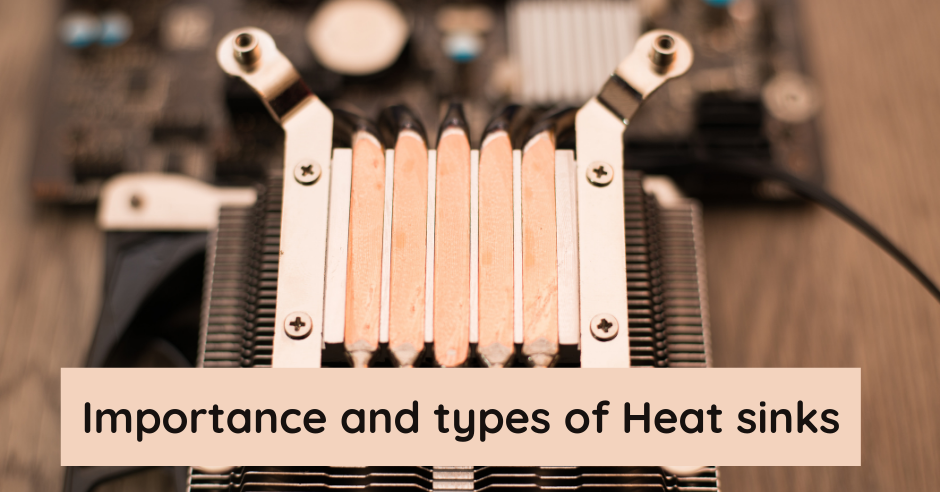
A heat sink is a component that draws heat away from parts of an electronic circuit, mainly power semiconductors, processors and other components that get hot, and releases it into the surrounding air or another cooling medium. By keeping components cool, a heat sink improves their performance and reliability and prevents premature failure. Many heat sinks work together with a fan or another cooling device. When you need a replacement, buying heat sinks on the refurbished market can help you save money. Buy Refurbished Heat sinks at the best price in India by visiting an online marketplace.
In this article, we explain how heat sinks work, why they matter, which types exist and how to choose and maintain one.
Table of Content
How does a heat sink work?
Every electronic component that carries current produces some heat. In small amounts that’s no problem, but processors, graphics chips, voltage regulators, power transistors and LEDs can produce a lot of heat in a very small area. If that heat isn’t removed, the temperature rises until the component slows down, becomes unstable or is damaged.




A heat sink solves this in three steps:
- Conduction: heat flows from the hot component into the base of the heat sink, usually through a thin layer of thermal paste or a thermal pad that fills microscopic gaps between the surfaces.
- Spreading: the heat spreads through the metal base and into the fins.
- Convection: the fins give the heat sink a large surface area, so heat can be transferred to the surrounding air. A fan speeds this up by moving more air across the fins.
The larger the surface area, the better the thermal conductivity of the material and the stronger the airflow, the more heat a heat sink can remove.
Heat Sink Types
Heat sinks can be classified in several ways: by how they move air, by the material they’re made of and by the way they’re manufactured. Let’s start with the most important distinction: active and passive heat sinks.
Active Heat Sinks
Active heat sinks use a fan or blower, powered by electricity, to force air across the fins. They’re often called heat sink–fan combinations or simply “coolers”, such as the CPU cooler in a desktop computer. Fans use either ball bearings or sleeve bearings. Ball bearing fans usually last longer and handle higher temperatures, while sleeve bearing fans are often quieter and cheaper. Active heat sinks offer excellent cooling performance, but because they have moving parts, the fan can wear out, collect dust or make noise over time.
Passive Heat Sinks
Passive heat sinks have no moving parts. They’re usually made of finned aluminium and rely on natural convection: warm air rises and is replaced by cooler air. Because there’s nothing to wear out, passive heat sinks are very reliable and completely silent. For best results, they need enough space and some airflow around the fins, for example from a case fan or natural ventilation.
Aluminum Heat Sink
Heat sinks are usually made of metal, and aluminium is the most common choice. Every metal has a different thermal conductivity: its ability to conduct heat. The higher the thermal conductivity, the more effectively the heat sink can move heat away from the component. Aluminium offers a good balance: it conducts heat well, is light, easy to shape and affordable.
Copper conducts heat even better, roughly 1.5 to 2 times as well as common aluminium alloys, but it’s heavier and more expensive. That’s why many high-performance coolers combine a copper base, which takes heat away from the chip quickly, with aluminium fins, which keep the weight and cost down.
Extruded Heat Sinks
Extruded heat sinks are made by pushing heated aluminium through a shaped die, like squeezing toothpaste from a tube, and then cutting the profile to length. This is the most common and cost-effective way to produce heat sinks in large numbers, and it works well for a wide range of applications.
Stamped Heat Sinks
Stamped heat sinks are made by pressing sheet metal into a specific shape in a stamping machine. They’re cheaper than extruded heat sinks and are used for low-power applications, so their cooling performance is relatively modest.
Machined Heat Sinks
Machined heat sinks are produced by cutting away material from a solid block of metal, for example with a gang saw or CNC machine, to create fins with precise spacing. This allows complex, custom shapes, but it’s expensive because a lot of metal is wasted in the process.
Bonded Fin Heat Sinks
Bonded fin heat sinks are often used for large applications that need good performance, such as power electronics, welding equipment and DC-DC converters. They’re made by attaching individual metal fins to a base. This can be done with thermally conductive epoxy, which is economical, or by brazing, which performs better but costs more.
Folded Fin Heat Sinks
Folded fin heat sinks use a thin sheet of metal folded into a zigzag pattern, which creates a very large surface area in a compact space. This gives them high performance and the ability to handle a high heat flux. They usually need air to be directed straight through the fins, often with ducting, which adds to the overall cost.
Skived Heat Sinks
Skived heat sinks are made by slicing thin layers from a solid block of metal, usually copper or aluminium, and bending them upright to form fins. Because the fins and base are one piece, heat transfers very efficiently. These are medium- to high-performance heat sinks.
Forged Heat Sinks
Forged heat sinks are formed by pressing copper or aluminium into shape with compressive force, a process called forging. This creates strong heat sinks with pin or fin shapes and good thermal performance.
Single Fin Assembly Heat Sinks
Single fin assembly heat sinks are built from individual fins attached to a base one by one. They’re lightweight, can be designed to fit tight spaces and can offer low to high performance depending on the design. The main downside is that they’re relatively expensive to produce.
Swaged Heat Sinks
Swaging is a forming process, usually done cold, in which fins are pressed into grooves in a base so they’re held firmly in place. Swaged heat sinks are affordable and offer medium performance, but they offer limited options for managing airflow.
Heat pipes and vapour chambers
Many modern heat sinks, especially in laptops, gaming PCs and smartphones, use heat pipes or vapour chambers. A heat pipe is a sealed copper tube containing a small amount of liquid. The liquid evaporates at the hot end, travels to the cooler end, condenses and flows back. This moves heat very quickly over a distance, for example from a processor to a fin stack near the fan. A vapour chamber works on the same principle, but as a flat plate, spreading heat evenly across a large surface. Thanks to these technologies, thin laptops and phones can cope with powerful chips.
Significance of Heat Sinks in Electronic Circuits
A heat sink is a passive heat exchanger designed to have a large surface area in contact with the surrounding cooling medium, usually air. Components that can’t keep their own temperature within safe limits need heat sinks.
The central processing units (CPUs) and graphics processors (GPUs) of computers are cooled with heat sinks. Similar heat spreaders are often used as covers on memory modules and SSDs to spread their heat.
If heat sinks aren’t used where they’re needed, components such as transistors, voltage regulators, integrated circuits, LEDs and power semiconductors can overheat and fail. Excessive heat also shortens the lifespan of components and can cause computers to slow down, a process called thermal throttling, or shut down unexpectedly. Even while soldering an electronic circuit, a small clip-on heat sink is often used to protect sensitive components from overheating.
In short, heat sinks are essential for the performance, stability and lifespan of almost every modern electronic device.
How to choose the right heat sink
- Heat output: check how much heat the component produces, often given as TDP (thermal design power) in watts, and choose a heat sink rated for at least that amount.
- Size and fit: make sure the heat sink fits the component, the mounting holes or socket, and the available space in the case or device.
- Material: aluminium for most applications, copper or copper-base designs for higher performance.
- Active or passive: choose a fan for high heat loads, a passive design for silence and reliability.
- Noise: for computers, look at fan noise levels and whether the fan speed can be controlled.
- Compatibility: for laptop replacement heat sinks, match the exact model or part number.
Installing and maintaining a heat sink
A heat sink only works well if it’s installed correctly and kept clean:
- Use thermal paste or a pad: apply a thin, even layer between the component and the heat sink. Too much paste can actually reduce performance.
- Replace old paste: thermal paste dries out over the years. Replacing it can noticeably lower temperatures on older computers and laptops.
- Mount it firmly: tighten screws evenly so the heat sink makes full contact with the component.
- Keep it clean: dust blocks airflow between the fins. Clean heat sinks and fans regularly with compressed air, holding the fan still while you do so.
- Monitor temperatures: use monitoring software to check whether your CPU and GPU stay within safe limits.
Signs your heat sink isn’t doing its job
How do you know whether a heat sink or cooler needs attention? Watch out for these signs:
- Your computer or laptop becomes much louder because the fan runs at full speed more often.
- The device slows down during demanding tasks, such as gaming or video editing, because the processor throttles to protect itself.
- The device shuts down or restarts unexpectedly under load.
- The underside or keyboard of a laptop becomes uncomfortably hot.
- Monitoring software shows CPU or GPU temperatures close to their maximum limits.
In many cases, cleaning the dust out of the heat sink and fan and replacing old thermal paste solves the problem. If the fan is noisy or doesn’t spin, or the heat sink is damaged, replacing the part is usually the best solution.
New or refurbished heat sinks?
A heat sink has no electronics and few or no moving parts, so a good-quality used or refurbished heat sink can perform just like a new one. That makes refurbished heat sinks an affordable option, especially for replacing a part in a laptop or server. Check that the part matches your device exactly, that the fins are undamaged and that any fan works properly. Clean the contact surface and apply fresh thermal paste before installing it.
Frequently asked questions about heat sinks
What is a heat sink used for?
A heat sink draws heat away from electronic components such as processors, power transistors and LEDs and releases it into the air, preventing overheating and extending their lifespan.
What is the difference between an active and a passive heat sink?
An active heat sink uses a fan to move air across its fins, while a passive heat sink has no moving parts and relies on natural airflow.
Is copper or aluminium better for a heat sink?
Copper conducts heat better, but aluminium is lighter and cheaper. Many coolers combine a copper base with aluminium fins for the best balance.
Do I need thermal paste with a heat sink?
Yes, in most cases. Thermal paste or a thermal pad fills tiny gaps between the component and the heat sink, which greatly improves heat transfer.
How often should I clean my heat sink?
Check it every few months and clean it when you see dust build-up. In dusty environments or with pets, clean more often.
Are refurbished heat sinks reliable?
Generally yes, because heat sinks are simple metal parts. Make sure the part matches your device, the fins are undamaged and any fan works, and use fresh thermal paste.
What is thermal throttling?
Thermal throttling is when a processor automatically lowers its speed to reduce heat because it is getting too hot. It protects the chip but makes the device slower.
