What Requirements Should a Good Website Meet?

Many companies struggle with this question. What should you keep in mind when you start building a new website? One of the most important things is to decide what goal you want to achieve with it. Do you want to sell more products, get in touch with new customers or inform visitors?
Besides the purpose, there are a number of other characteristics that successful websites share. Some of these are technical. Others are a matter of taste: does your target group like the website? When we look at successful websites, we always see a number of recurring elements. Does your website meet these requirements?
Table of Content
Start with a clear goal
Before you think about colours, fonts or features, write down what the website needs to achieve. A webshop is built to sell, a corporate website to build trust and generate enquiries, a blog to inform and attract visitors, and a portfolio to show your work. The goal determines which pages you need, what information comes first and which action you want visitors to take.


Also think about your target group. Who are they, what do they want to know and which questions do they have before they decide to contact you or buy something? A website that answers those questions clearly will almost always perform better than one that only talks about the company itself.
Finally, decide how you will measure success. That could be the number of orders, contact requests, newsletter sign-ups or phone calls. Without a measurable goal, it’s hard to know whether your website is doing its job.
The characteristics of a good website
1. Findability
Google handles billions of searches every single day. So it’s important that you appear in those search results, even for people in your target audience who have never heard of your company.
For example, when someone searches for “marketing agency in India”, a marketing agency wants to appear on the first page of the results. By using the right keywords on your website, in your page titles and in blog articles, you make it much more likely that you will be found. The result: more visitors, leads and customers.
Findability isn’t only about Google’s traditional results. Local businesses also need a complete Google Business Profile so they appear in Google Maps. And as more people use AI assistants and AI-generated search summaries, clear, well-structured and trustworthy content becomes even more important, because that is the kind of content those systems tend to cite.
2. Speed
You know the feeling: you open a website and have to wait for ages before it has loaded completely. Most visitors don’t wait. Many give up after just a few seconds and go back to the search results, often straight to a competitor.
That alone is an important reason to have (and keep) a fast website.
Speed also affects your findability. Google considers page experience, including loading speed, when ranking websites. Curious how fast your website is? You can measure it with Google PageSpeed Insights. It also shows your Core Web Vitals, Google’s measurements for loading speed, responsiveness and visual stability. Elements that take a long time to load are crying out for optimization.
Common ways to speed up a website include compressing and resizing images, using modern image formats, choosing good hosting, enabling caching, limiting heavy scripts and plugins, and using a content delivery network (CDN) for visitors in different regions.
3. User-friendliness
You have probably already thought about the steps a visitor needs to take on your website to eventually convert: buying something, requesting a quote or leaving their details. No? Then it’s high time! Do you want homepage visitors to go to a product page and then to the checkout? Then make that path, the “customer journey”, as clear as possible. You don’t want people to get lost. The more user-friendly and SEO friendly your website is, the easier visitors will find their way.
You can compare it with the walking route through a supermarket. It may seem random, but it’s carefully planned. Whatever is on your list, the route takes you past all the shelves in the store.
Some basics of user-friendliness:
- A clear menu with logical names, and not too many items.
- A search function for larger websites and webshops.
- Readable text, with enough contrast and a comfortable font size.
- Forms that are short and work properly on a phone.
- Contact details that are easy to find.
And of course, the website must also be easy to use behind the scenes. Logging in and making a small change shouldn’t take hours. That’s why it’s very important to choose a suitable CMS (Content Management System), such as WordPress, that matches your needs and your team’s skills.
4. Use of Color
The colours you use on a website are usually based on your company’s house style. That way everything stays consistent and you get the right look. There is no right or wrong, as long as the colours fit your corporate identity and your product or service. One brand suits vibrant colours, while another is better served by a sleek, fresh look. What matters is the right balance, so visitors don’t find it tiring or distracting. In any case, make sure there is enough white space. It keeps the design calm and pleasant to look at.
Pay attention to contrast as well. Light grey text on a white background may look elegant, but it’s hard to read for many people. Good contrast makes your website more accessible to everyone, including visitors with a visual impairment.
5. Buttons
Buttons are very important. They can even determine the route your visitors take. Think back to user-friendliness: if you want to guide visitors from the homepage via the product page to the checkout, buttons are one of the most effective ways to do it.
Make buttons look clickable and give them a clear, active label, such as “Request a quote”, “Add to cart” or “Download the guide”, instead of a vague “Click here”. Use one main button per section, so visitors aren’t confused about what to do next. And make sure buttons are large enough to tap easily on a smartphone.
6. Content
How do you keep visitors coming back to your website? Right: by regularly offering them new content. That can be almost anything. You can publish a new blog article now and then, but you can also offer a whitepaper, a podcast, a video series or a useful tool. With it, you share your knowledge and give visitors a reason to come back. We recommend developing a content strategy that sets out which topics you cover, for whom, and how often.
Good content also supports your findability. Every helpful article that answers a real question from your target group is another chance to be found in search engines. Keep existing content up to date too: outdated information, prices or dates undermine trust.
7. Responsive / Mobile Friendly
This is an absolute must. Responsive, mobile-friendly websites adapt to the screen size they are viewed on. That way the site works on smartphones, tablets and laptops, and you don’t have to build a separate website for each device. In many countries, more than half of all web traffic now comes from mobile devices, and Google primarily uses the mobile version of a website for indexing and ranking. Check out this article on your phone (if you aren’t already).
When testing your website on a phone, check whether text is readable without zooming, whether buttons and links are easy to tap, whether forms work smoothly and whether the page loads quickly over a mobile connection.
8. Moving picture
A picture paints a thousand words. Moving images are being used more and more. You see more and more video on Facebook, LinkedIn and Instagram, and platforms such as TikTok, Snapchat and YouTube are all about video. That’s why we believe moving images, such as video or animation, can enrich a website. You get your message across faster.
Use video wisely, though. Large video files can slow down your site, so compress them or host them on a platform such as YouTube or Vimeo. Avoid autoplay with sound, and add subtitles, since many people watch videos with the sound off.
Other requirements you shouldn’t forget
Security
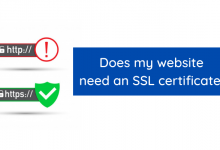
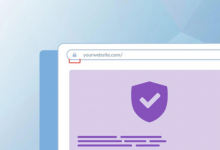
A good website is secure. An SSL certificate (the padlock and “https” in the address bar) is standard nowadays: browsers warn visitors about sites without one. Keep your CMS, themes and plugins up to date, use strong passwords and two-factor authentication for admin accounts, and make regular backups so you can restore your website if something goes wrong.
Accessibility
An accessible website can be used by everyone, including people with visual, hearing, motor or cognitive impairments. Think of alt text for images, sufficient colour contrast, clear headings, keyboard navigation and subtitles for videos. Accessibility isn’t only the right thing to do; in a growing number of countries it is also a legal requirement for certain organizations.
Trust
Visitors need to trust you before they buy or get in touch. Show who you are with an “About us” page, real photos, clear contact details and genuine customer reviews or examples of your work. A privacy policy and, where needed, a cookie notice that complies with local privacy laws also help build trust.
Measurability
Finally, make sure you can measure how your website performs. Tools such as Google Analytics and Google Search Console show how many visitors you get, where they come from, which pages they view and whether they take the actions you want. Use these insights to keep improving your website step by step.
Keep improving after launch
A website is never really finished. Once it’s live, the real work begins: learning from how visitors actually use it. Look at which pages they visit most, where they leave and which buttons they click. Heatmap tools and short visitor surveys can reveal surprising problems. Test improvements one at a time, such as a clearer headline, a shorter form or a different button text, and measure whether they make a difference. Small, continuous improvements often have more effect than a complete redesign every few years.
A quick website checklist
- Is the goal of the website clear, and can you measure it?
- Can people find you in Google for the searches that matter?
- Does the site load quickly on mobile and desktop?
- Is the navigation simple and the next step always clear?
- Do colours and design match your brand, with enough contrast?
- Does every page have a clear call to action?
- Is the content helpful, current and written for your target group?
- Does the site work well on every screen size?
- Is the site secure, accessible and trustworthy?
These are some of the characteristics of successful websites. Do you recognize your website in them?
Frequently asked questions about the requirements of a good website
What is the most important requirement for a good website?
A clear goal. Once you know what the website should achieve and for whom, it becomes much easier to decide on the content, design and features.
How fast should a website load?
As fast as possible. Aim for the main content to appear within about two to three seconds, and check your Core Web Vitals in Google PageSpeed Insights.
Does my website really need to be mobile-friendly?
Yes. A large share of visitors use a smartphone, and Google mainly looks at the mobile version of your website when ranking it.
Which CMS should I choose?
It depends on your needs. WordPress is popular because it is flexible and easy to manage, while webshops often use platforms such as WooCommerce or Shopify.
How often should I update my website?
Keep the software updated continuously, review important content at least a few times a year and add new content regularly, according to your content strategy.
Why does a website need an SSL certificate?
An SSL certificate encrypts the connection between the visitor and your website. Browsers flag sites without one as “not secure”, which damages trust.
Should my website have a blog?
A blog isn’t required, but it’s one of the easiest ways to add helpful content regularly, answer customer questions and get found in search engines for more topics.