Uses and Purpose of a Webcam: Types and Key Features

A webcam is a digital camera that connects to a computer or another compatible device to capture video and, in some cases, still images. Webcams are commonly used for video calls, online classes, remote work, live streaming, and content creation. They make it easier for people to communicate visually without needing a separate digital camera.
Understanding the uses and purpose of a webcam can help you choose the right device for your needs. Whether you attend virtual meetings, study online, create videos, or need a camera for everyday communication, factors such as resolution, frame rate, microphone quality, and compatibility can influence your decision.
Webcams are available in different types and price ranges. If you want to save money, a refurbished model may also be worth considering. You can explore new and refurbished webcams to compare available options before making a purchase.
Table of Content



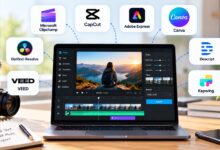
What Is a Webcam?
A webcam is a digital camera designed to capture video and transmit it to a computer, network, or compatible application. Most external webcams connect through a USB port, while internal webcams are built into laptops, monitors, and some all-in-one computers.
Unlike standalone cameras designed primarily for photography, webcams are generally intended for convenient, real-time video communication. They are widely used with video conferencing software, online learning platforms, streaming applications, and other programs that support camera input.
The quality of a webcam depends on several factors, including its image sensor, lens, resolution, frame rate, lighting conditions, and software support. Some models also include built-in microphones, autofocus, and privacy covers.
What Is the Purpose of a Webcam?
The main purpose of a webcam is to capture video so people can communicate, collaborate, teach, learn, or share content remotely.
Webcams help users participate in face-to-face conversations over the internet without being physically present in the same location. They are also useful for recording presentations, streaming live content, and creating educational videos.
For businesses, webcams support remote meetings, interviews, customer consultations, and team collaboration. For students, they provide a convenient way to attend virtual classes and participate in online discussions.
A webcam can also be used for personal video calls with friends and family. Depending on the model and supporting software, it may serve other purposes, such as basic monitoring or recording.
Common Uses of a Webcam
Webcams have become useful in homes, offices, educational institutions, and content creation environments. Here are some of their most common applications.
1. Video Conferencing and Online Meetings
One of the most common webcam uses is video conferencing. Applications such as Microsoft Teams, Zoom, and Google Meet allow people to communicate visually during meetings, interviews, and group discussions.
A webcam helps participants follow facial expressions and visual cues, making remote communication more personal. It is especially useful for remote employees, freelancers, business owners, and professionals who regularly attend virtual meetings.
2. Online Learning and Virtual Classes
Students and teachers use webcams to participate in online lessons, training sessions, and virtual workshops. A webcam allows instructors to demonstrate concepts, interact with learners, and deliver presentations remotely.
For students, it can make classroom discussions and online assessments more interactive. A webcam with clear video and a reliable microphone is often sufficient for everyday learning.
3. Live Streaming and Content Creation
Content creators use webcams to stream gameplay, host live discussions, record tutorials, and produce educational videos. Some webcams support high-resolution recording, higher frame rates, and autofocus, which can improve the viewing experience.
However, image quality also depends on lighting, internet bandwidth, recording software, and the computer being used. Creators who need professional audio may benefit from using a separate microphone.
4. Remote Work and Collaboration
Webcams help remote teams stay connected when employees work from different locations. They support project discussions, presentations, virtual training, and regular team meetings.
For people working from home, an external webcam can provide more flexible positioning than a built-in laptop camera. This can be useful when setting up a dedicated workspace.
5. Personal Video Calls
Webcams make it easy to communicate with friends and family through video-calling applications. They allow people to see one another during conversations, even when they are separated by long distances.
A basic webcam is often sufficient for this purpose, provided it works with the chosen application and delivers acceptable image and audio quality.
6. Recording Videos and Presentations
A webcam can record demonstrations, presentations, product walkthroughs, and instructional videos. Teachers, professionals, and creators can use webcam software to capture their screen and camera feed together.
The quality of the final recording depends on the webcam’s capabilities and the recording settings. Before buying a camera for this purpose, check its supported resolution, frame rate, and compatibility with your preferred software.
7. Basic Monitoring and Security
Some webcams can be used for basic monitoring with compatible software. For example, a user may want to observe a workspace or check an area while away from the computer.
However, ordinary webcams are not necessarily designed for continuous security monitoring. Dedicated security cameras may offer more suitable features, including night vision, motion detection, and independent recording.
Always secure camera access, use strong account credentials where applicable, and review the privacy settings of any monitoring software.
Types of Webcams
Webcams are available in different designs, depending on how they connect to a computer and how they are intended to be used. The two main categories are internal and external webcams.
1. Internal Webcams
An internal webcam is built into a device, such as a laptop, monitor, or all-in-one computer. It is typically positioned above the screen and is ready to use when supported by the operating system and applications.
Advantages of internal webcams:
- Convenient for everyday video calls.
- No separate camera is usually required.
- Takes up little or no additional desk space.
- Requires fewer cables and accessories.
Limitations:
- Camera positioning is usually restricted.
- Image quality varies depending on the computer model.
- Upgrading the camera may require an external device.
Internal webcams are suitable for students, office workers, and users who need a convenient solution for regular video communication.
2. External Webcams
An external webcam is a separate device that usually connects to a computer through USB. It can be attached to the top of a monitor or laptop screen or placed on a desk using a compatible stand.
Advantages of external webcams:
- More flexible camera positioning.
- Potentially better image quality than some built-in cameras.
- Availability of features such as autofocus and privacy covers.
- Easy to move between compatible computers.
Limitations:
- Requires an additional cable or connection.
- Uses some desk or mounting space.
- May require software or drivers for advanced features.
External webcams are useful for desktop computers, remote workers, online teachers, and content creators who want more control over their video setup.
3. HD and Full HD Webcams
Webcams are also commonly described by their supported video resolution.
An HD webcam may support 720p video, while a Full HD webcam generally supports 1080p. A good 1080p webcam is suitable for many video meetings, virtual classes, and everyday recording tasks.
Some models support 4K video, offering greater detail when the computer, application, connection, and recording settings support it. However, 4K is not necessary for every user, and higher resolution alone does not guarantee better image quality.
4. Streaming Webcams
Streaming webcams are designed for users who broadcast or record video regularly. Depending on the model, they may offer higher resolutions, smoother frame rates, autofocus, improved exposure controls, and software integration.
They are useful for gaming streams, online demonstrations, video tutorials, and live presentations. Before buying one, consider your lighting, audio equipment, computer capabilities, and streaming platform requirements.
These categories can overlap. For example, an external webcam can also be a Full HD or streaming webcam.
Key Webcam Features to Consider
Choosing a webcam involves more than comparing prices. Understanding the main features can help you select a model that meets your requirements.
1. Resolution
Resolution describes the number of pixels used to create a video image. Higher resolutions can capture more detail, although the result also depends on the camera’s sensor, lens, lighting, and video settings.
Common webcam resolutions include:
- 720p: Suitable for basic video calls and everyday communication.
- 1080p: A practical choice for many professional meetings, online classes, and content creation tasks.
- 4K: Offers greater detail for supported recording and streaming workflows.
A 4K monitor is not required to view 1080p video. Choose a resolution that suits your intended use and budget rather than paying for extra pixels you may not need.
2. Frame Rate
Frame rate measures how many video frames a camera captures per second and is expressed in frames per second (fps).
A webcam supporting 30 fps is generally adequate for video conferencing and everyday use. Models supporting 60 fps can produce smoother motion when the application and settings support that rate.
Frame rate is only one part of image quality. Lighting, exposure, sensor performance, and resolution also affect how clear and natural the video looks.
3. Autofocus
Autofocus adjusts the camera’s focus to keep the subject clear as the distance between the camera and subject changes.
This feature can be useful for presenters who move around or demonstrate objects close to the camera. Fixed-focus webcams can work well for users who remain seated at a consistent distance from their screen.
Consider how you plan to use the webcam before deciding whether autofocus is worth paying for.
4. Built-In Microphone
Many webcams include a microphone for capturing speech during meetings and video calls. The quality varies by model and can be affected by background noise, room acoustics, and the distance between the speaker and camera.
When comparing webcams, check whether the device has a single or dual microphone, any advertised noise-reduction features, and suitable audio compatibility.
For podcasting, professional voiceovers, or high-quality video production, a dedicated external microphone may provide better results.
5. Connectivity and Compatibility
Most external webcams connect through USB, but connector types and compatibility vary. Check your computer’s available ports and the webcam’s operating-system requirements before buying.
Also verify that the camera works with your preferred applications. Some webcams offer basic plug-and-play functionality, while advanced features may require additional software.
6. Low-Light Performance
Webcam performance can deteriorate in dim lighting, producing grainy or unclear images. A capable sensor and suitable exposure controls can help, but good lighting remains important.
Position yourself facing a light source and avoid placing a bright window directly behind you. Improving your lighting can sometimes make a bigger difference than upgrading your camera.
7. Privacy Features
A webcam provides visual access to your surroundings, so privacy deserves attention. Some models include physical privacy shutters or removable covers that block the lens when the camera is not in use.
You should also review camera permissions, keep your computer updated, and allow camera access only to trusted applications.
What to Check Before Buying a Refurbished Webcam
A refurbished webcam can be a cost-effective alternative to a new model, but product condition and seller policies matter.
Before purchasing, check the following:
- Physical condition: Look for damage to the housing, lens, cable, and mounting clip.
- Camera functionality: Confirm that the webcam has been tested and produces a working video feed.
- Microphone performance: Check the built-in microphone if you plan to use it for meetings.
- Compatibility: Verify support for your operating system, connection type, and preferred applications.
- Accessories: Confirm whether the USB cable, stand, or mounting clip is included.
- Warranty and returns: Review the applicable warranty, return period, and conditions.
- Price: Compare the refurbished model with similar new products to determine whether the savings justify the purchase.
Refurbished products can differ in their inspection and restoration processes. Read the product description carefully and ask the seller about any unclear details.
If you are shopping locally or ordering online for delivery to Port Harcourt, confirm the product’s availability, delivery charges, and return arrangements before placing an order.
You can browse new and refurbished webcams to compare available models and their listed specifications.
Frequently Asked Questions
What is the main purpose of a webcam?
The main purpose of a webcam is to capture video for real-time communication, online meetings, virtual classes, live streaming, and other computer-based applications.
What are the two main types of webcams?
The two main types are internal webcams, which are built into devices such as laptops, and external webcams, which connect separately to a computer, usually through USB.
What are the most common uses of a webcam?
Common uses include video conferencing, online learning, remote work, personal video calls, live streaming, and recording presentations.
Is a 1080p webcam good enough for online meetings?
Yes. A 1080p webcam is suitable for many online meetings, virtual classes, and everyday video calls. Actual image quality also depends on lighting, camera hardware, and application settings.
Do webcams have built-in microphones?
Many webcams include built-in microphones, but not all do. Check the product specifications if you need both video and audio from a single device.
Is a refurbished webcam worth buying?
A refurbished webcam can be worth buying if it has been appropriately tested, meets your needs, and costs less than a comparable new model. Check its condition, compatibility, warranty, and return policy first.
Can I use an external webcam with a desktop computer?
Yes. Most desktop computers can use a compatible external webcam through a supported USB connection. Confirm that the computer has the required port and supports the device.
Conclusion
Webcams are useful tools for communication, education, remote work, live streaming, and content creation. Understanding the uses and purpose of a webcam, along with the differences between webcam types and key features, makes it easier to choose a suitable device.
For everyday meetings and online classes, a basic webcam may be sufficient. Users who record videos or stream content may benefit from higher resolution, improved autofocus, or better audio capabilities.
Before purchasing, compare specifications, compatibility, and total cost. If you prefer a lower-cost option, a properly tested refurbished webcam may meet your requirements without the expense of buying a new model.