What is Azure? Microsoft Azure Explained for Beginners
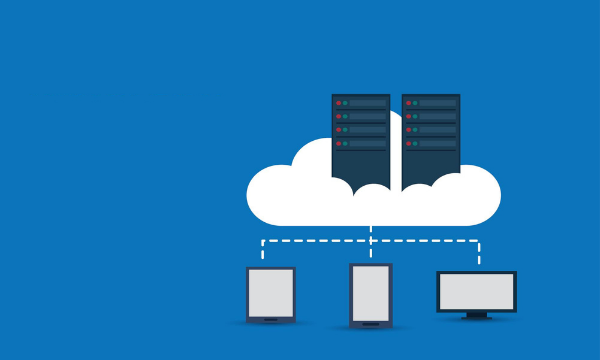
Table of Content
What is Azure explained to beginners?
The term cloud computing probably means something to you. Although “the cloud” started as something of a marketing term, cloud computing is about making computing power, storage and software available over the internet, so that websites, web applications and business applications can run without you owning the hardware. A cloud provider helps bring such applications online, and Microsoft Azure is one of the largest cloud providers in the world. In this article, we explain what Microsoft Azure is, how it works, why companies choose it and which services you can use.
Cloud Computing
First, let’s talk a little about cloud computing, because it goes further than what most consumers understand by “the cloud”. Yes, data is stored “somewhere” in the cloud so that you can use your applications via the internet. But that “somewhere” can always be traced back to a physical computer. In the hosting and cloud world, such a computer is called a server.
A server is a computer designed to run continuously, usually mounted in a server rack, a cabinet that holds several servers and connects them to power, cooling and the network. These racks are located in data centres.




Cloud providers such as Microsoft operate a global network of data centres, grouped into dozens of regions around the world, with millions of servers. They rent out this infrastructure to others through the Azure platform. In the past, companies were responsible for hosting their applications themselves. They had their own web servers, email servers and database servers in a server room, all on hardware they had bought. Cloud services such as Microsoft Azure have changed that.
With Azure, you can, for example, rent a virtual server or storage space with a few clicks. You generally pay for what you use, and you can scale up or down as your needs change.
IaaS, PaaS and SaaS: the three cloud models
Cloud services are usually divided into three models:
- Infrastructure as a Service (IaaS): you rent basic building blocks such as virtual machines, storage and networks, and manage the operating system and software yourself.
- Platform as a Service (PaaS): the provider manages the infrastructure and operating system, and you focus on your application and data. Examples are web app hosting and managed databases.
- Software as a Service (SaaS): you use complete applications over the internet, such as Microsoft 365, without managing anything technical.
Azure offers IaaS and PaaS services, and many of Microsoft’s SaaS products run on Azure behind the scenes.
What is Microsoft Azure?
Most people know Microsoft from Windows and Office (or from its co-founder, Bill Gates). But in recent years, much of the company’s growth has come from its cloud business, with Microsoft Azure at its heart. Azure competes with similar services from Amazon (Amazon Web Services), Google (Google Cloud) and Alibaba (Alibaba Cloud), and AWS, Azure and Google Cloud together make up the largest share of the cloud market.
In theory, you can do much the same with Azure as with the other big cloud providers. Companies typically turn to them when software or applications, such as websites, web applications or data platforms, need to be available online, reliably and at scale. Cloud computing is therefore aimed mainly at system administrators, developers and IT teams who combine the underlying building blocks into one or more cloud environments.
Self-Service
In general, these technical teams are responsible for setting up and managing the cloud environment themselves. That gives a lot of freedom. Cloud providers offer many options: a developer can choose, for example, that application A gets more computing power than application B. This freedom of choice creates a lot of room to optimize costs, but it also creates complexity. Designing and managing a cloud environment is a specialism, and it takes time that developers could otherwise spend on building the application itself.
Also Read: What Is Two-Factor Authentication (2FA)?
Azure Cloud Partners
Besides basic infrastructure, Azure offers many managed services, where Microsoft takes care of much of the maintenance, such as managed databases, app hosting and Kubernetes. Even so, customers remain responsible for configuring these services correctly, securing their data and managing costs. This is known as the shared responsibility model.
Microsoft also has an extensive network of partners that help companies move to Azure. These partners help with migrating on-premises or legacy applications, modernizing applications, and the day-to-day management of cloud environments.
Why Azure?
We mentioned that Microsoft Azure competes with similar services from Amazon and Google. So why would you choose Azure rather than the others?
Open-source support
In the past, Microsoft was not keen on open-source technology. Today, it fully embraces it. For example, it acquired GitHub, the world’s largest platform where software developers share code and collaborate. Many Azure tools and software development kits are developed openly on GitHub.
In addition, much of the technology that runs on Azure is open source. You can run Linux servers rather than only Microsoft’s own Windows Server, and use open-source databases, programming languages and container technologies. This gives a lot of flexibility in technology choices.
Many innovative services
Azure is used for much more than storing data or hosting websites and web applications. It offers powerful computing options, including high-performance computing and graphics processors for demanding workloads.
That makes the platform very suitable for processing and analysing large amounts of data. Azure also offers many services in the field of the Internet of Things, machine learning and artificial intelligence, including access to advanced AI models through Microsoft’s AI platform services, which many businesses use to build their own AI applications.
Integrations with the rest of Microsoft Services
Besides hosting applications, most companies use back-office systems: tools for communication and collaboration (email, documents, chat), systems that hold customer information (CRM) and systems for core business processes (purchasing, sales, invoicing, inventory). Many of these, such as Microsoft 365, Teams and Dynamics 365, are part of the Microsoft ecosystem. Azure integrates closely with them, and with Microsoft Entra ID (formerly Azure Active Directory) for user identities and secure sign-in. For organizations that already use Windows Server and SQL Server, Azure also offers licensing benefits and familiar tools.
What can you do with Microsoft Azure?
Azure contains hundreds of services in many categories, far too many to mention. Here is a short summary of some of the most important ones.
Compute
Virtual Machines: a service for creating virtual servers, available in many variants, for example with more or less computing power. You choose the geographical region, availability zones, number of cores, memory, operating system and so on.
App Service: a platform for hosting web applications and APIs without managing servers. It supports ASP.NET and many other frameworks, such as Node.js, Python, Java and PHP.
Azure Functions: serverless computing, where small pieces of code run in response to events and you pay only for the time they run.
Azure Kubernetes Service (AKS): Azure’s managed service for running and orchestrating large numbers of containers with Kubernetes.
Networking
Virtual Network: an isolated, virtualized network in Azure. With a virtual network, Azure resources can communicate securely with each other and with on-premises networks. A virtual network belongs to one region but can be connected to networks in other regions, and it is divided into subnets. You don’t have to worry about physical hardware: everything is set up in software, and Microsoft manages the hardware.
Load Balancer: a traffic controller that spreads incoming traffic across multiple servers, so that no single server is overloaded. Azure load balancer services take care of this, minimizing downtime and increasing availability.
Content Delivery Network: a network that serves content from locations close to the end user, which speeds up websites and reduces the load on the origin server.
Storage
Blob Storage: for storing unstructured data such as images, videos, backups and logs. It’s highly scalable, suitable for almost any type of file, and can hold enormous amounts of data, from gigabytes to petabytes.
Disk Storage: persistent storage for virtual machines, available as standard hard disks and faster SSDs.
Azure SQL Database: a managed service for hosting SQL Server databases in Azure. Many existing SQL Server databases can be migrated with few or no code changes, while Microsoft handles patching, backups and high availability.
Who uses Azure?
Azure is used by organizations of every size. Large enterprises use it to move their data centres to the cloud, run business-critical applications such as SAP, and build data and AI platforms. Governments and healthcare organizations use specialized Azure regions and compliance offerings. Start-ups and software companies use it to launch and scale their products without buying hardware. Smaller businesses often use Azure indirectly, for example through Microsoft 365, or for specific needs such as backups, a virtual desktop environment or hosting a website or web shop. Many organizations also combine Azure with their own data centre or with other cloud providers, in a hybrid or multi-cloud setup.
How to get started with Azure
- Create a free account to explore the Azure portal and try services within the free limits.
- Follow Microsoft Learn, Microsoft’s free training platform, which offers learning paths for beginners, such as the Azure Fundamentals course.
- Start small, for example by hosting a simple web app or storing files in Blob Storage.
- Set a budget and alerts from day one, so you don’t get unexpected costs.
- Secure your account with multi-factor authentication before you build anything important.
How Azure pricing works
Azure mainly uses a pay-as-you-go model: you pay for the resources you use, such as computing time, storage and data transfer. For predictable workloads, you can save money with reservations or savings plans, in which you commit to a certain usage for one or three years. Azure also offers a free account with limited free services and starting credit for new users. Because costs can add up quickly, it’s important to use Azure’s cost management tools, set budgets and alerts, and switch off resources you don’t need.
Security and compliance
Microsoft invests heavily in the security of its data centres and platform, and Azure holds a wide range of international compliance certifications. However, customers remain responsible for securing their own applications, data and access. Best practices include using multi-factor authentication for all accounts, giving users only the permissions they need, encrypting data, keeping systems updated and monitoring activity with tools such as Microsoft Defender for Cloud.
Conclusion: What is Azure?
In this blog post, we answered the question: what is Azure? You learned that Azure is Microsoft’s cloud platform, where developers and system administrators can build and manage cloud environments from a wide range of services. You also learned that there are partners who can take the management of Azure off your hands, why Azure is interesting, and which services are available within it.
Frequently asked questions about Microsoft Azure
What is Microsoft Azure used for?
Azure is used to host websites and applications, run virtual servers, store and back up data, run databases, analyse data and build AI and Internet of Things solutions.
Is Azure the same as Microsoft 365?
No. Microsoft 365 is a set of ready-to-use applications such as Outlook, Word and Teams. Azure is a cloud platform for building and running your own applications and infrastructure.
What is the difference between Azure and AWS?
Both are major cloud platforms with similar core services. Azure stands out for its integration with Microsoft products and identity services, while AWS has the largest market share and a very broad range of services.
Is Azure free?
Azure offers a free account with limited free services and starting credit for new users. After that, you pay for what you use.
What is Microsoft Entra ID?
Microsoft Entra ID, formerly Azure Active Directory, is Microsoft’s cloud identity service for managing users, sign-ins and access to applications.
Do I need to be a developer to use Azure?
Basic tasks can be done through the Azure portal without coding, but designing and managing cloud environments usually requires technical knowledge or help from a partner.
What is an Azure region?
An Azure region is a geographic area with one or more data centres. You choose a region for your resources based on factors such as distance to your users, legal requirements and available services.