SEO: The Ultimate Guide to Ranking in Google
SEO has everyone under its spell: from marketers to business owners, from copywriters to web developers. We all want to rank higher in Google, but we don’t always understand how.
Need help with your SEO? Looking for concrete tips? Or have you never heard of SEO before? This guide takes you through the do’s and don’ts of search engine optimization and is useful for both beginners and more advanced users.
Table of Content
What is SEO?
SEO stands for Search Engine Optimization. In short, SEO is the umbrella term for all the steps you take to make your website rank higher in Google and other search engines.
Search engine optimization is a collection of techniques aimed at improving your website so that it reaches a higher position in the organic (unpaid) search results. In less technical words: investing in SEO makes your website easier to find in Google.

Reading Tips: What is SEO? A Clear Overview
The role of search engine optimization
To decide which pages to show, and in what order, Google uses ranking systems that look at hundreds of signals. By taking these factors into account, you can positively influence the position of your website.
That’s what SEO is all about: working on the factors that influence your website’s position, while creating the best possible experience for your visitors.
At first glance, SEO seems quite simple. But don’t underestimate it. You have to take into account both your visitors and the search engine.
You can create a flashy, visually attractive website, but if it’s slow, hard to navigate or doesn’t answer people’s questions, it won’t perform well in search.
How to register your website with Google?
Before Google can assess your site, it first has to find it. Many companies therefore wonder whether they need to register their website somewhere.
Fortunately, that’s usually not necessary. Google finds most websites automatically, and it’s free.
Google uses automated programs called web crawlers, or Googlebot, that browse the web by following links from page to page. This process is called crawling. The pages Google finds are analysed and stored in its index, which is called indexing.
Crawlers analyse the pages of your site and work out what they’re about. Most websites you see in the search results were not added manually, but were found automatically by Google’s crawlers.
Check if your site is indexed
As mentioned, your website is usually found and indexed automatically.
Want to be on the safe side and check whether Google has actually found your website? A simple search gives you a quick indication. Type the following into Google:
site:yourdomainname.com
If your pages appear, they’re in Google’s index. For a complete and accurate picture, use Google Search Console (see below).
Although Google crawls billions of pages, it’s still possible that your website, or some of its pages, isn’t indexed. That can be frustrating, but it’s rarely unsolvable.
Common reasons are technical errors, pages blocked by a robots.txt file or a “noindex” tag, a lack of links pointing to the page, or content that Google considers duplicate or low in value.
It’s also possible that Google simply hasn’t crawled your new website yet. In that case, you may need to wait a little.
Speed up Google’s indexing process
Don’t want to wait? Then you can help speed things up with Google Search Console, a free service from Google that lets website owners check the indexing status and search performance of their site.
In Search Console, you can submit your sitemap, see which pages are indexed and why others aren’t, check for crawl errors and request indexing of specific pages with the URL Inspection tool.
What are the benefits of SEO?
#1 SEO is good for your budget
With SEO, you don’t pay for each click or impression, as you do with advertising. Your costs don’t increase with the number of visitors you attract. SEO does require investment in time, expertise and content, but the traffic itself is free.
#2 SEO delivers long-term, sustainable results
If you invest in a well-optimized website and strong content, you’ll benefit for a long time. SEO is a sustainable investment.
Blog articles written years ago can still rank at the top of the search results. Of course, this only applies to excellent articles that are regularly updated.
And unlike advertising, your visibility doesn’t stop the moment you stop paying. The effort you put into SEO keeps paying off.
#3 Organic search results are credible
Many people trust organic search results more than ads. Some users skip sponsored results altogether, because they know these positions are paid for.
A top organic position, on the other hand, shows that Google considers your page one of the most relevant and helpful answers to the search. That builds credibility.
SEO vs. SEA: what’s the difference?
SEO and SEA (search engine advertising, such as Google Ads) are different, but they complement each other well, like yin and yang. Being visible both organically and through paid ads reinforces your presence. One doesn’t exclude the other, and a good mix of both is often the key to success.
#1 Organic vs. paid
SEO focuses on a high position in the organic part of the search results, while SEA focuses on a profitable position in the sponsored results.
Organic traffic doesn’t cost you per click. Advertising means paying for your place in the search results.
#2 Long term vs. short term
Paid ads can appear in the search results almost immediately after you launch a campaign.
With SEO, it can take months before you see clear results. So SEO is not the right tool if you need traffic tomorrow, but it builds lasting value.
#3 Credibility vs. visibility
You can buy visibility, but not credibility. A website that has earned its place at the top of Google organically is often seen as more reliable.
Inbound marketing is based on this idea: attracting customers by providing genuinely useful content, so leads come to you organically.
Paid ads offer immediate visibility, while organic results build long-term trust. Used together, they cover both short-term and long-term goals.
Why is SEO important to your business?
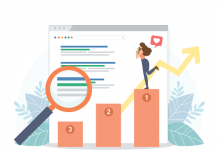
Darwin’s survival of the fittest also applies online. The lower your ranking in Google, the less likely people are to notice your website. Click-through studies consistently show that the first few organic results receive the large majority of clicks, while very few people ever click through to page two.
So as a company, it’s important to rank well organically for the searches that matter to you. Otherwise, people simply won’t find your website, and you miss out on a huge opportunity to attract visitors.
Do you want to prevent your website from dying a silent death? Then investing in SEO is a must. A continuous, organic flow of visitors offers nothing but benefits.
The building blocks of SEO
Google’s exact ranking algorithm is a closely guarded secret, and it changes regularly. But Google does publish a lot of guidance, and we know that search engine optimization rests on a few important pillars.
Keywords
Even though Google’s algorithms keep changing, understanding the words and questions people use remains essential. A targeted SEO strategy therefore starts with the right keywords and topics.
Not every keyword is a good choice. Popular keywords with huge search volume are often very difficult to rank for, because large, established websites already dominate them.
That’s why thorough keyword research is the basis of a successful SEO strategy. We explain how to do this later in this guide.
On-page SEO
Besides choosing relevant keywords, many factors on your own website contribute to a higher position in Google.
SEO generally distinguishes between on-page factors, off-page factors and technical factors.
On-page SEO covers everything on your website itself that contributes to your rankings and to what visitors see and experience. As the site owner, you have full control over these factors. They include:
- Meta title
- Headings
- Meta description
- URL
- Body text
- Images
- Loading time
- Sitemap
Does that sound like a foreign language? Below, we explain each one and why it matters. You don’t have to perfect every single factor, but together they make a real difference.
Meta title
The meta title, or title tag, is the clickable headline people see in the search results. It’s the first impression of your page, so make it count!
Why is the title so important? It’s one of the clearest signals of what your page is about, both for Google and for searchers deciding which result to click.
A good title includes your main keyword, preferably near the beginning, describes the page accurately and makes people want to click. Each page should have its own unique title.
Headings
Headings add structure to your web page. Compare it to a book with chapters, titles and paragraphs. Imagine a book without any titles or subtitles: it would be a mess, wouldn’t it?
Headings provide structure for both your visitors and search engines. They range from H1 (the main heading) to H6. As a best practice, use one H1 that describes the main topic of the page, and use H2 and H3 headings for sections and subsections.
Meta description
The meta title tells us in one line what the page is about. The meta description gives a little more room to explain it.
The meta description often appears below the title in the search results. Write a concise but appealing summary of your page.
Google doesn’t use the meta description as a direct ranking factor, and sometimes shows a different snippet from your page. But a good description can increase the number of people who click on your result, which brings you more visitors.
URL
Yes, your URL also matters. Keep it short, readable and descriptive, and include your main keyword or a variation of it where it fits naturally.
Use hyphens to separate words rather than underscores, and avoid long strings of numbers and parameters where possible.
Body text
The body text is the main content of your page: the paragraphs your visitors actually come to read. Write naturally, answer the searcher’s question clearly and use variations of your keywords.
Don’t repeat the same keyword over and over. Google’s systems recognize keyword stuffing, and it makes your text unpleasant to read. Natural, well-structured text in a clear, engaging style keeps visitors interested and helps them find what they need.
Images
Images make your content more attractive and can bring extra traffic through Google Images. Give each image a descriptive file name and alt text. Alt text describes the image for people using screen readers and helps search engines understand what it shows. Also compress your images so they don’t slow down your page.
Loading time
Loading speed is another important factor. Google considers page experience, including how quickly a page loads and becomes usable, and visitors quickly leave slow websites.
As a rule of thumb, aim for your main content to appear within about two to three seconds. Google’s Core Web Vitals measure loading performance, responsiveness and visual stability; you can check them in PageSpeed Insights and in Search Console.
Sitemaps
An XML sitemap is a list of the important pages on your website. It helps search engines find and crawl your pages, especially on new or large websites. Most content management systems and SEO plugins create a sitemap automatically.
Off-page SEO
The popularity, relevance and trustworthiness of your website are also important factors that Google takes into account.
Unlike on-page optimization, you have less direct control over off-page factors, which makes them harder to influence.
The most important off-page factor is links from other websites. Brand mentions, reviews and a strong reputation also help.
Link building
Link building is about earning links from other websites to yours. These links are called backlinks. Think of them as recommendations: a link from a respected, relevant website signals that your content is valuable.
You don’t get good backlinks just like that. You can reach out to website owners and ask whether they’d like to link to a useful resource on your site, but be careful: not every link is a good link.
Is the linking page well established and trusted? Then the link can certainly help. Is the page also relevant to your products or services? Even better.
Links from irrelevant or spammy websites don’t help and can even harm you if they’re part of a manipulative scheme. Always choose quality over quantity.
Social media
Social media is one of the most obvious ways to bring visitors to your website and get your content in front of more people.
Google has said that social signals such as likes and shares are not a direct ranking factor. But social media still helps SEO indirectly: when more people see your content, more people may visit, mention and link to it.
Reviews, especially on your Google Business Profile, are important for local search and contribute to the social proof of your business.
SEO in practice: how do you take the first steps?
You now know the important fundamentals of SEO. Time to put the theory into practice. How do you actually optimize your website for Google?
Invest in content marketing
As we said earlier, a targeted SEO strategy is about ranking for the right keywords. Content marketing is inextricably linked to this.
The goal of SEO is to appear at the top of the search results when people search for terms related to your products or services.
To achieve that, you need relevant content about those topics. Blog articles, guides, product pages and service pages are good examples. Regularly publishing and updating helpful content gives Google more reasons to visit your site and more pages to rank.
A good blog article can rank for many related search terms, attracting visitors who might never have found you otherwise. For example, an article that answers a common question in your industry can bring a steady stream of potential customers to your website for years.
Blogs therefore have a strong influence on how findable your website is. Curious how to get started with SEO content? Read on.
Step 1: Do keyword research
The first thing to focus on is choosing your keywords. By targeting the right keywords, you increase the chance that your pages will rank well.
How do you choose the right keywords? Through keyword research.
Start by brainstorming. Write down everything that comes to mind that’s relevant to your business, your products and your customers’ questions.
Then use keyword tools to check search volumes and competition. Many tools also suggest related keywords. The terms your customers use are not always the ones you had in mind, so these suggestions are very valuable.
Finally, look at the competition. Google the keywords you want to rank for. If the top results are dominated by giants such as Amazon or major media sites, it’s often smarter to target more specific keywords.
If you see smaller websites or pages that don’t answer the question well, you may have found a good opportunity. This simple method teaches you a lot without expensive tools.
Step 2: Create a buyer persona
Before you can publish content that performs well, you need to describe your target group as specifically as possible. A buyer persona helps with this: a detailed profile of your most important type of customer.
It’s important to put yourself in the shoes of potential customers, so you can choose topics that matter to them. Targeting the right keywords is important, but the topic must also genuinely interest your target group.
A common mistake is focusing only on demographics. They matter, but they’re not the main point.
What challenges does your persona face? What are their pain points? What questions do they have? Those are the questions that really matter.
You probably know more than you think. Look at your customer data, and talk to the people in your company who speak with customers every day.
The most important sources are usually sales, marketing and customer support. Combine their knowledge to learn more about your current customers, and translate that into content for new ones.
Step 3: Start writing
Time to start writing. Base your content on your keyword research, competitor analysis and persona insights.
Focus on content that fully answers the searcher’s question. Sometimes that means a long, in-depth guide; sometimes a short, clear answer is better. There’s no ideal word count: what matters is whether your content is helpful, accurate and better than what’s already out there.
Google’s guidance emphasizes “helpful, reliable, people-first content” and signals of experience, expertise, authoritativeness and trustworthiness (often abbreviated as E-E-A-T). Show your real knowledge: share examples, experience, data and practical advice. Make sure content is easy to read, well structured and kept up to date.
Optimizing your site for Google
Step 1: Give every page a meta title and description
Meta tags are part of the foundation of SEO. By meta tags, we mean the title tag and meta description of each page.
Include your main keyword in the title. Keep titles to roughly 50 to 60 characters, so they aren’t cut off in the search results, and make them concise and appealing.
Write a meta description that summarizes the page and encourages people to click. Around 150 to 160 characters is a good guideline.
Step 2: Add alt text to your images
Together with your titles and descriptions, alt text completes the basics of on-page optimization.
In most content management systems, adding alt text is easy. In WordPress, for example, you can enter it in the media library or when inserting an image.
Step 3: Submit your sitemap in Google Search Console
Google usually finds your sitemap automatically, but this can take some time. To speed things up, submit your sitemap in Google Search Console.
Step 4: Keep your URLs short
As explained earlier, include your main keyword in the page URL, use hyphens instead of underscores and keep URLs short and readable. In WordPress, you can set a clean permalink structure, such as yourdomain.com/post-name/, instead of long URLs with dates and numbers.
Step 5: Use caching
Caching stores copies of files so they don’t need to be loaded from scratch every time.
With browser caching, files such as HTML, CSS, JavaScript and images are stored in your visitor’s browser on their first visit. Server-side caching stores ready-made versions of your pages, so they load faster for everyone.
On the next visit, the page loads much faster because many files are already available.
That’s good for visitors and for search engines, as fast websites provide a better experience.
Step 6: Compress your images
Want to speed up your website further? Compress your images. Compression reduces file size with little or no visible loss in quality. Modern formats such as WebP and AVIF are often much smaller than JPEG or PNG.
Large, uncompressed images are one of the most common causes of slow websites, as images often make up a large part of the data a page needs to load.
Step 7: Earn quality backlinks
There are many legitimate ways to earn backlinks. Create content worth linking to, such as original research, useful guides or tools; get listed in relevant, reputable industry directories; build relationships with bloggers and journalists in your field; and share your expertise through guest articles or interviews.
The pitfalls of SEO
Every game has its cheaters. Links are bought and rankings manipulated. If you play fair, you follow “white hat” SEO. If you try to trick the search engine, that’s “black hat” SEO. Make no mistake: Google actively fights manipulation, through automated systems and manual actions against sites that break its spam policies. Here’s what you should avoid.
Keyword stuffing: keyword overuse
Google expects you to use keywords naturally. If a page repeats the same keyword unnaturally often, it’s seen as spammy. In the worst case, the page loses rankings or receives a manual action.
Cloaking: hiding text
Cloaking means showing search engines different content from what visitors see. It’s an attempt to fool the search engine, because what Google reads doesn’t match what users experience.
A classic trick is filling a page with keywords in the same colour as the background, invisible to visitors but readable for search engines. Google’s systems are designed to detect this kind of trick, and those who play with fire will get burned.
Duplicate content: repeating text
If you copy content from other websites, or publish many pages with almost identical content, those pages are unlikely to rank well. Copied content offers searchers nothing new, and scraping content from others breaks Google’s spam policies. For similar pages on your own site, use canonical tags to tell Google which version is the main one.
Link schemes: buying backlinks
Just like other products, backlinks are sold. There are networks of websites that link to each other only to manipulate Google’s rankings.
Links intended to manipulate rankings are against Google’s spam policies. Google’s systems try to ignore them, and sites that rely on them can receive penalties.
In the past, the number of backlinks mattered most. Today, quality and relevance matter far more. If you pay for a link, for example in a sponsored article, it should be marked with rel=”sponsored” or rel=”nofollow” so it doesn’t pass ranking credit.
Free SEO tools to Ranking in Google
Have you invested in a website? Good: that’s the first step towards being found online. Now you need visitors, and they won’t come out of nowhere.
To make your website findable, you have to invest in SEO. A place on the first page of Google (or Bing) isn’t handed to you on a plate.
You need to optimize your website and its content for search engines. If you don’t, your site risks dying a silent (organic) death.
As the old joke goes: the best place to hide a body is on page two of Google.
SEO isn’t easy, so a helping hand is always welcome. Below, we list useful SEO tools. Many offer a free version or free features, while advanced functions usually require a paid plan.
A note of caution: tools are just tools. No tool can do SEO for you, not even a paid one. In the end, you still need to make the right decisions.
Shall we?
Ranking in Google by Keyword research
Creating good content is a cost-efficient way to attract new leads, and it’s an important factor for being found in Google.
Keyword research is the basis of every good article or piece of content. You want to be found for search terms that are relevant to your business. If you get this wrong, you’ll attract visitors who aren’t interested in what you offer.
#1 AnswerThePublic
AnswerThePublic collects search suggestions and groups them into questions, prepositions and comparisons around a keyword.
It’s very useful if you want to know which questions people ask about a certain topic. For example, for the keyword “SEO” you’ll see that many people want to know what it means and how to apply it in practice. The free version allows a limited number of searches per day.
#2 Ahrefs free keyword tools
Ahrefs offers free tools, such as a Keyword Generator, that show keyword ideas, estimated search volume and keyword difficulty for a limited number of results.
Based on the term you enter, the tool suggests related keywords and questions people ask. Full data requires a paid subscription.
#3 Google Trends
Google Trends is a free Google service that shows, in graphs, how interest in a search term changes over time and by region.
It’s ideal for spotting seasonal patterns and rising topics. For example, you’ll see searches for holiday songs climb every year as December approaches, so you know exactly when to publish your seasonal content.
#4 Ubersuggest
Ubersuggest offers many features that are usually found in premium SEO tools, with a limited number of free searches per day and paid plans for more.
Enter a keyword, and Ubersuggest shows information about its difficulty, estimated monthly search volume and related keyword suggestions, along with other useful statistics.
#5 Moz Keyword Explorer
Moz Keyword Explorer gives you insight into search volume, difficulty and keyword suggestions, and shows which pages rank for a term. A free Moz account allows a limited number of queries each month.
And don’t forget Google’s own Keyword Planner, available free in Google Ads, which shows search volume ranges and keyword ideas straight from Google.
Content marketing
As mentioned earlier, content marketing is an important part of SEO. But you can’t just write anything: your content must add real value.
It must be relevant to your target audience. What challenges do they face? What are their pain points? What questions do they have?
To find the answers, try to get inside your customers’ minds.
Join the communities where your target audience spends time online. You’ll see that people are happy to share their questions and interests.
#6 Quora
Quora is a goldmine for questions. It’s a platform where people ask questions and others share insights and answers.
In other words, Quora is a great place to discover which questions your target audience is struggling with.
#7 Reddit
Reddit is a “community of communities” organized around interests. Almost any topic you can think of is discussed there, and Reddit discussions also appear more and more often in Google’s search results.
Can you see the opportunity? Reddit shows you what your target audience is talking about, in their own words, and is excellent for brainstorming relevant topics.
SEO optimizations (on-page)
On-page SEO includes all factors on your website that contribute to your search engine optimization.
Specifically, it concerns everything users see and experience, such as loading speed, mobile-friendliness and the structure of your site. The following tools help you check and improve these factors.
#8 WooRank
WooRank’s SEO tool gives you useful insights to optimize your website. Enter your URL and WooRank produces a report with a list of improvements. It also offers a browser extension that shows key SEO information for the page you’re visiting. Full reports require a paid plan, often with a trial period.
#9 Lighthouse and mobile-friendliness checks
Is your website suitable for mobile devices? Google retired its standalone Mobile-Friendly Test, but you can still check how your site performs on mobile with Lighthouse, which is built into the Chrome browser’s developer tools, and with PageSpeed Insights. Lighthouse checks performance, accessibility, best practices and basic SEO, and shows concrete suggestions for improvement.
#10 Sitechecker
Sitechecker works in a similar way to WooRank. It audits your site and shows where there’s room for improvement.
It’s a good idea to compare the results of different audit tools. Every tool makes mistakes sometimes; they are, after all, just tools. Comparing results reduces the risk of chasing false problems.
#11 PageSpeed Insights
How fast does your website load? PageSpeed Insights, a free Google tool, measures this for mobile and desktop. It shows your Core Web Vitals based on real user data, where available, along with lab test results and specific recommendations.
#12 SEO Analyzer
The SEO Analyzer from Neil Patel’s Ubersuggest offers a free SEO report for your website.
The analysis gives a list of issues that may prevent your site from ranking well.
However, don’t rely blindly on any automated analysis, whether from this tool, WooRank or Sitechecker. Automated tools sometimes report problems that don’t exist, for example claiming a sitemap is missing when it’s simply located at a different address.
#13 Pingdom
Another useful tool for testing website speed is Pingdom Website Speed Test. It also shows which files slow down your page.
You’ll notice that Pingdom’s results differ from PageSpeed Insights. That’s because the tools measure speed in different ways.
PageSpeed Insights is generally stricter and focuses on the user experience, while Pingdom gives a detailed view of load times and file sizes. It’s useful to have a second opinion.
#14 Google Search Console
Get SEO help straight from the source!
Unlike third-party tools, whose results are always estimates, Google Search Console shows data directly from Google about how your site performs in Google Search.
With Search Console, you can see which search terms bring visitors, how often your pages appear and get clicked, which pages are indexed, and whether there are problems with mobile usability, Core Web Vitals or security. You can open each report and see exactly where the issues are.
Also consider Bing Webmaster Tools, Microsoft’s free equivalent, which provides similar data for Bing.
Ranking in Google Link building (off-page)
Unlike on-page SEO, off-page SEO refers to everything that happens outside your own website.
Off-page SEO improves the popularity, relevance and trustworthiness of your website, largely behind the scenes.
Link building is one of the most important parts of off-page SEO, and links remain an important ranking signal for Google.
As explained, link building is about earning links from other websites to yours, called backlinks.
Make no mistake: the tools below won’t create backlinks for you. If you find a tool or service that promises to generate hundreds of links automatically, something is wrong.
Such link schemes are a classic black hat technique, an attempt to cheat the search engine.
Black hat tactics may seem to work in the short term, but in the long term they rarely pay off.
Google can ignore manipulative links, lower the rankings of sites that use them or apply manual actions that remove pages from the search results. You don’t want that to happen to you.
#15 MozBar
This free Chrome extension offers many features, but it’s especially useful for link building research.
For example, it shows Moz’s Domain Authority (DA) and Page Authority (PA) scores for websites and pages.
Note: Domain Authority is a score created by Moz, not by Google. It estimates how likely a website is to rank, based mainly on its backlink profile. Google doesn’t use Moz’s score.
So a higher score suggests a stronger link profile, but it’s only an estimate.
The score is mainly useful for comparing your site with competitors. If competitors have much higher scores, you know you’ll need to put in extra effort to earn quality links.
#16 Ahrefs Backlink Checker
Ahrefs’ free Backlink Checker shows a selection of the top backlinks pointing to a website, as well as its top pages based on links.
It’s handy for seeing which pages attract links and which could use an extra boost.
#17 Moz Link Explorer
Moz Link Explorer works in a similar way to the MozBar, but as an online tool with more detailed reports and analyses. A free account gives limited access.
Conclusion
Investing in SEO is, and remains, essential for your website. It’s a cost-effective way to attract more visitors. If you take the right steps, it can lift your website to new heights. Here are some final things to keep in mind:
- Be patient! SEO doesn’t deliver results overnight.
- Keep updating your website and content. That way you stay relevant and can respond to new trends.
- Always keep your visitors in mind. Optimizing for search engines is important, but your visitors come first.
- Last but not least: keep up with SEO developments, such as AI-generated search features and algorithm updates. Learning regularly helps you understand what your website needs.
Do you have questions, or are you looking for support with your SEO? Feel free to contact us without obligation. We’re happy to help.
Frequently asked questions about ranking in Google
How long does it take to rank in Google?
It varies, but most websites need several months of consistent work to see clear SEO results. New websites and competitive keywords usually take longer.
Do I need to submit my website to Google?
Usually not, because Google finds websites automatically through links. Submitting your sitemap in Google Search Console can help speed up indexing.
What is the difference between SEO and SEA?
SEO aims for free, organic positions and builds results over time. SEA, such as Google Ads, gives you paid positions immediately, but you pay for every click.
Are backlinks still important for SEO?
Yes. Links from relevant, trustworthy websites remain an important signal. Quality matters much more than quantity, and buying links to manipulate rankings breaks Google’s policies.
Is Domain Authority a Google ranking factor?
No. Domain Authority is a metric created by Moz to estimate ranking potential. Google doesn’t use it, but it can be helpful for comparing websites.
Which free SEO tools should I start with?
Start with Google Search Console, Google Analytics, PageSpeed Insights and Google Trends, and add free versions of keyword tools such as AnswerThePublic or Ubersuggest.