Does My Website Need an SSL Certificate? 4 Reasons to Switch to HTTPS
Does my website need HTTPS?
Short answer: yes. If your website still loads over plain HTTP, switching to HTTPS with an SSL certificate should be at the top of your to-do list. It used to be something only webshops and banks worried about. Today, browsers, search engines and visitors all expect it, and in most cases it doesn’t cost you a penny.
Here’s why it matters and how to make the switch without breaking anything.
Table of Content
What an SSL certificate actually does
An SSL certificate (technically TLS these days, but everyone still says SSL) encrypts the connection between your website and the visitor’s browser. Anything sent over that connection, from a contact form to a login or a payment, can’t be read or changed by someone else on the same network. You can tell a site is secured when its address starts with https://.
Reason 1: Browsers warn visitors away from HTTP sites
Chrome, Safari, Firefox and Edge all mark HTTP pages as “Not secure” in the address bar. For a visitor deciding whether to trust you with their email address, that’s a terrible first impression.

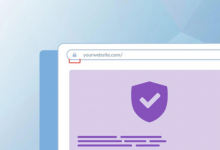



Browsers are also getting stricter. Chrome is moving towards connecting over HTTPS by default and warning people before it opens a page that only works over HTTP. A site without a certificate doesn’t just look outdated; more and more visitors will see a warning screen before they ever see your homepage.
Reason 2: It’s part of how Google ranks pages
Google has used HTTPS as a ranking signal since 2014. To be honest about it, it’s a small signal: an SSL certificate won’t push a weak page to the top. But it’s one of the few ranking factors that’s completely within your control, and in competitive markets small advantages add up.
There’s an indirect effect too. When visitors see a security warning, many of them leave straight away. That hurts your conversions far more than any ranking factor.
Reason 3: Your visitors’ data stays private
Picture a potential customer in a café, on public Wi-Fi, filling in your contact form. Over HTTP, their name, phone number and message travel across the network as readable text. Over HTTPS, they’re encrypted.
Laws like the GDPR expect you to take “appropriate” measures to protect personal data. Encrypting the connection is about the most basic measure there is.
Reason 4: Modern web features require it
Many newer browser features only work on secure sites, including location access, push notifications, service workers (needed for progressive web apps) and the newer, faster HTTP/2 and HTTP/3 protocols. Payment providers and many marketing tools also expect HTTPS.
What does an SSL certificate cost?
For most websites: nothing. Let’s Encrypt and similar providers issue free certificates, and almost every hosting company sets one up with a single click. Paid certificates (with company validation or a warranty) still exist, but for a typical business site, blog or small webshop, a free certificate offers exactly the same encryption.
One thing to plan for: certificates are getting shorter lifetimes. The industry has agreed to cut the maximum lifetime step by step, from over a year to just 47 days by 2029. Renewing by hand will become impractical, so make sure your host renews automatically.
How to switch to HTTPS without losing traffic
- Install the certificate through your hosting control panel.
- Update your site URL. In WordPress, change both addresses under Settings → General to https://.
- Set up 301 redirects from every HTTP address to its HTTPS version, so links and rankings carry over.
- Fix mixed content. Images, scripts or fonts still loaded over HTTP will trigger warnings. A search-and-replace in the database or a plugin like Really Simple SSL helps here.
- Tell Google. Add the HTTPS version in Google Search Console and submit your sitemap again.
Types of SSL certificates
All SSL certificates encrypt the connection in the same way. The difference is in how thoroughly the certificate provider checks who you are, and how many domains the certificate covers.
By validation level
- Domain Validated (DV): the provider only checks that you control the domain. Issued within minutes, often free. Perfect for blogs, business websites and most small webshops.
- Organisation Validated (OV): the provider also checks that your company really exists. Visitors can see your company name in the certificate details. Popular with larger companies and organisations that handle sensitive data.
- Extended Validation (EV): the strictest check, with extra verification of your company’s legal and physical existence. Browsers used to show the company name in a green bar, but they no longer do, so the visible advantage has largely disappeared.
By number of domains
- Single domain: covers one domain, for example www.yourcompany.com.
- Wildcard: covers a domain and all its subdomains, like shop.yourcompany.com and blog.yourcompany.com.
- Multi-domain (SAN): covers several different domains with one certificate, for example yourcompany.com and yourcompany.in.
For most small and medium-sized businesses, a free DV certificate is all you need.
How to check whether a website is secure
You can check any website’s certificate in a few seconds:
- Look at the address bar. The address should start with https://.
- Click the icon to the left of the address. In Chrome, this is a small “settings” icon; in other browsers, it’s often a padlock.
- Choose Connection is secure and then Certificate is valid to see who issued it and until when it’s valid.
Want a deeper check of your own website? Free tools like SSL Labs’ SSL Server Test analyse your configuration and give it a grade from A+ to F. Aim for an A or higher.
Keep in mind: HTTPS means the connection is encrypted, not that the website is trustworthy. Phishing sites can have SSL certificates too. Always check the domain name carefully before entering personal details.
Common SSL errors and how to fix them
- “Your connection is not private” (NET::ERR_CERT_DATE_INVALID): the certificate has expired. Renew it, and set up automatic renewal so it doesn’t happen again.
- Name mismatch (ERR_CERT_COMMON_NAME_INVALID): the certificate doesn’t cover the address the visitor is using, for example it covers yourcompany.com but not www.yourcompany.com. Request a certificate that includes both.
- Mixed content warnings: the page loads over HTTPS, but some images, scripts or styles still load over HTTP. Update these links to HTTPS.
- Too many redirects: often caused by conflicting redirect rules in your hosting settings, a CDN like Cloudflare and a WordPress plugin. Check that only one of them handles the redirect to HTTPS.
- Untrusted certificate: usually a self-signed certificate or a missing intermediate certificate. Install a certificate from a trusted provider, including the full chain.
Take it one step further: HSTS
Once your website runs fully on HTTPS, you can add HSTS (HTTP Strict Transport Security). This tells browsers to always connect to your site over HTTPS, even if someone types http:// or clicks an old link. It protects against certain attacks where someone tries to downgrade the connection to HTTP. Your hosting company or developer can enable it with a small change in the server settings. Only do this when you’re sure everything works on HTTPS, because browsers remember the setting.
A quick SSL checklist for your website
Use this checklist to make sure your website is fully secured:
- Your website loads on https:// with a valid certificate.
- Both yourcompany.com and www.yourcompany.com are covered by the certificate.
- Every HTTP address redirects to HTTPS with a 301 redirect.
- There are no mixed content warnings on any page.
- The certificate renews automatically before it expires.
- Your sitemap and canonical tags use HTTPS addresses.
- The HTTPS version is added to Google Search Console.
- Subdomains, like shop.yourcompany.com or mail.yourcompany.com, are secured too.
- Your configuration scores an A or higher in an SSL test.
SSL is the start, not the end
An SSL certificate secures the connection between your website and your visitors. That’s essential, but it doesn’t protect against everything. A hacked WordPress website with outdated plugins can still have a perfectly valid SSL certificate. For a truly secure website, combine SSL with:
- Regular updates of WordPress, your theme and plugins.
- Strong passwords and two-factor authentication for all admin accounts.
- Daily backups, stored outside your hosting account.
- A security plugin or firewall that blocks suspicious traffic.
- Reliable hosting with good security and support.
SSL and your WordPress website
Most of our clients use WordPress, so here are some specific tips:
- Back up your website before you switch, including the database.
- Update internal links in your posts and pages from http:// to https://. A search-and-replace tool or plugin can do this for the whole database at once.
- Check your theme and plugins for hard-coded HTTP links, for example to fonts, images or scripts.
- Update external services like Google Analytics, Google Ads, your email marketing tool and social media profiles with your new HTTPS address.
- Clear your cache after the switch, both in your caching plugin and in your CDN if you use one.
Frequently asked questions about SSL certificates
What happens if my website doesn’t have an SSL certificate?
Browsers will show a “Not secure” warning in the address bar, and in some cases a full warning page before your site loads. Visitors are less likely to trust your website, fill in forms or buy something, and you miss out on a small ranking advantage in Google.
Is a free SSL certificate as good as a paid one?
For encryption, yes. Free certificates from providers like Let’s Encrypt use the same strong encryption as paid ones. Paid certificates mainly offer extra company validation, a warranty and support, which most small websites don’t need.
How long is an SSL certificate valid?
Most certificates are currently valid for a few months to just over a year. The industry is reducing the maximum lifetime step by step, down to 47 days by 2029. That’s why automatic renewal is so important.
Does SSL slow down my website?
Hardly at all. Modern servers handle encryption very efficiently, and HTTPS makes it possible to use the faster HTTP/2 and HTTP/3 protocols. In practice, many websites become faster after switching to HTTPS.
Will switching to HTTPS affect my Google rankings?
If you set up 301 redirects correctly and update your internal links, your rankings should stay the same or improve slightly. Temporary fluctuations are normal while Google processes the change.
Do I need SSL if my website doesn’t sell anything?
Yes. Even without a webshop, you probably collect data through contact forms, newsletter sign-ups or search fields. And browsers show the “Not secure” warning on every HTTP page, regardless of what’s on it.
What is the difference between SSL and TLS?
TLS is the modern successor of SSL. The old SSL protocols are no longer used because they’re insecure, but the name “SSL certificate” has stuck. When people say SSL today, they almost always mean TLS.
Can I install an SSL certificate myself?
In most cases, yes. Almost every hosting company offers a one-click option for a free certificate in its control panel. If you have a more complex setup, your hosting company or web developer can help.
What should I do when my SSL certificate expires?
Renew it as soon as possible, because visitors will see a warning page until you do. With most hosts, you can renew a free certificate with one click. Then turn on automatic renewal, so it doesn’t happen again.
Is HTTPS enough to make my website secure?
No. HTTPS protects the data travelling between your website and your visitors, but it doesn’t protect your website itself against hackers, malware or outdated software. Keep WordPress, your theme and plugins up to date, use strong passwords with two-factor authentication, make regular backups and choose reliable hosting.
Does my email need SSL too?
Yes, ideally. Your email server should use encrypted connections (TLS) for sending and receiving email, so messages and passwords can’t be intercepted. Most hosting and email providers set this up by default, but it’s worth checking the settings in your email program: choose the SSL/TLS options for incoming and outgoing mail.
Not sure whether your site is set up correctly, or want us to handle the switch? Get in touch and we’ll check it for you.
Also Read: How much does a website cost?